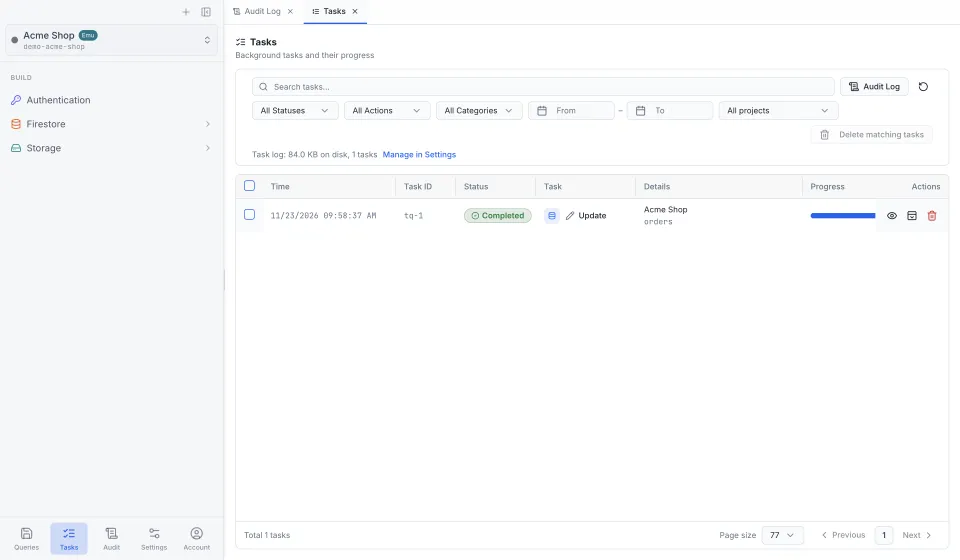
Tasks and the progress dialog
Long operations run in a queue, so you can keep working.
Operations that touch many items run as background tasks. You see a progress dialog, and you can close it or choose Run in Background. The task keeps running.
- Firestore: bulk update and delete, adding, renaming and deleting fields, document and collection copy, move, rename and duplicate, collection export and import, pipeline writes, code that writes and restores from a past time.
- Authentication: import, export, transfer, and bulk delete, disable, enable and custom claims.
- Storage: folder copy, move, rename, delete and transfer.
Each item of a task is tracked: succeeded, failed, skipped, pending or cancelled. The app keeps the queue on this computer. If you quit while a task is unfinished, it is picked up again when the app starts.
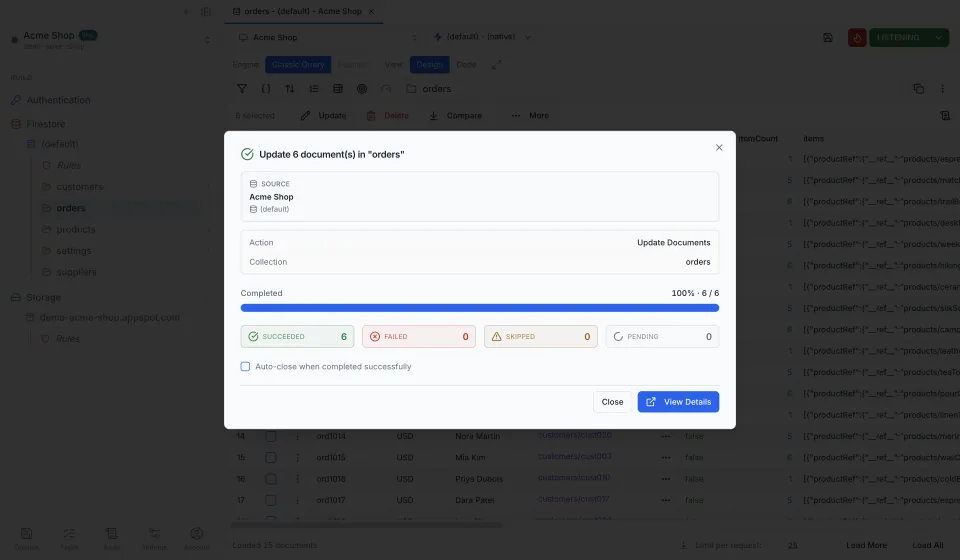
The progress dialog:
The dialog shows the source and target, a progress bar and the counts of succeeded, failed and skipped items. Its buttons depend on the state of the task.
| Button | What it does |
|---|---|
| Pause / Resume | Pauses processing and resumes it. |
| Cancel Task | Stops processing. After you confirm, all pending items are marked cancelled. Items already processed are not reverted. This cannot be undone. |
| Run in Background | Closes the dialog and leaves the task running. |
| View Details | Opens the task detail tab. |
| Open Tasks | Opens the Tasks list. |
| Close | Closes the dialog when the task is finished. |
Tick Auto-close when completed successfully to close the dialog when a task finishes without failures. The same option is in Settings, Notifications. A task where every item was skipped is shown as Completed, some skipped, not as failed.